

A conference stage can look ready with the lectern lit and the backdrop glowing. Then the host walks toward the interview chairs, the camera cuts to a side angle and the lighting cue changes while the host is still speaking. A speaker can lose usable light during that handoff even when both the opening and closing looks seem fine. A short rehearsal that follows the people, the camera and the cue together can catch problems a static stage check misses.
Map the Places Where People Speak
Start with the event running order. Mark the lectern, the interview seats and any aisle or stage edge used for questions. Draw the route between speaking positions and identify which parts someone will cross while talking. Ask the host and the stage manager where they expect introductions, microphone handoffs or unscripted exchanges. If someone routinely takes a step away from the lectern to address the room, include that position in the review.
Give each location or route a simple name everyone can use over comms. “Host from lectern to chairs” gives the lighting operator and camera crew a common reference. During rehearsal, use the actual chairs and lectern positions. A seated guest and a standing host occupy different heights, and both may be talking during the same cue. Ask stand-ins to look toward the people they will address so the crew sees how turns of the head change facial visibility.
Check the Face and the Background Separately
Start with the front light available for the speaking positions and look at the eyes and expression from the audience. Then bring in the backdrop or side color and review the same faces again. A wash spreads light across an area, and its direction and target influence what the audience sees. A broad backdrop wash can give the set color while a separate front light makes a speaker’s expression readable. The guide to stage wash lighting explains how coverage, direction and fixture choice interact.
If a face becomes harder to read, identify what changed before adjusting levels. A saturated wash might be spilling onto the speaker. The chair may have moved out of the useful front light. A bright display behind the speaker may draw attention away from the face. Ask the operator to adjust one part of the look at a time and repeat the observation. That makes it easier to keep the backdrop the producer wants while fixing the specific problem.
Rehearse the Middle of the Fade
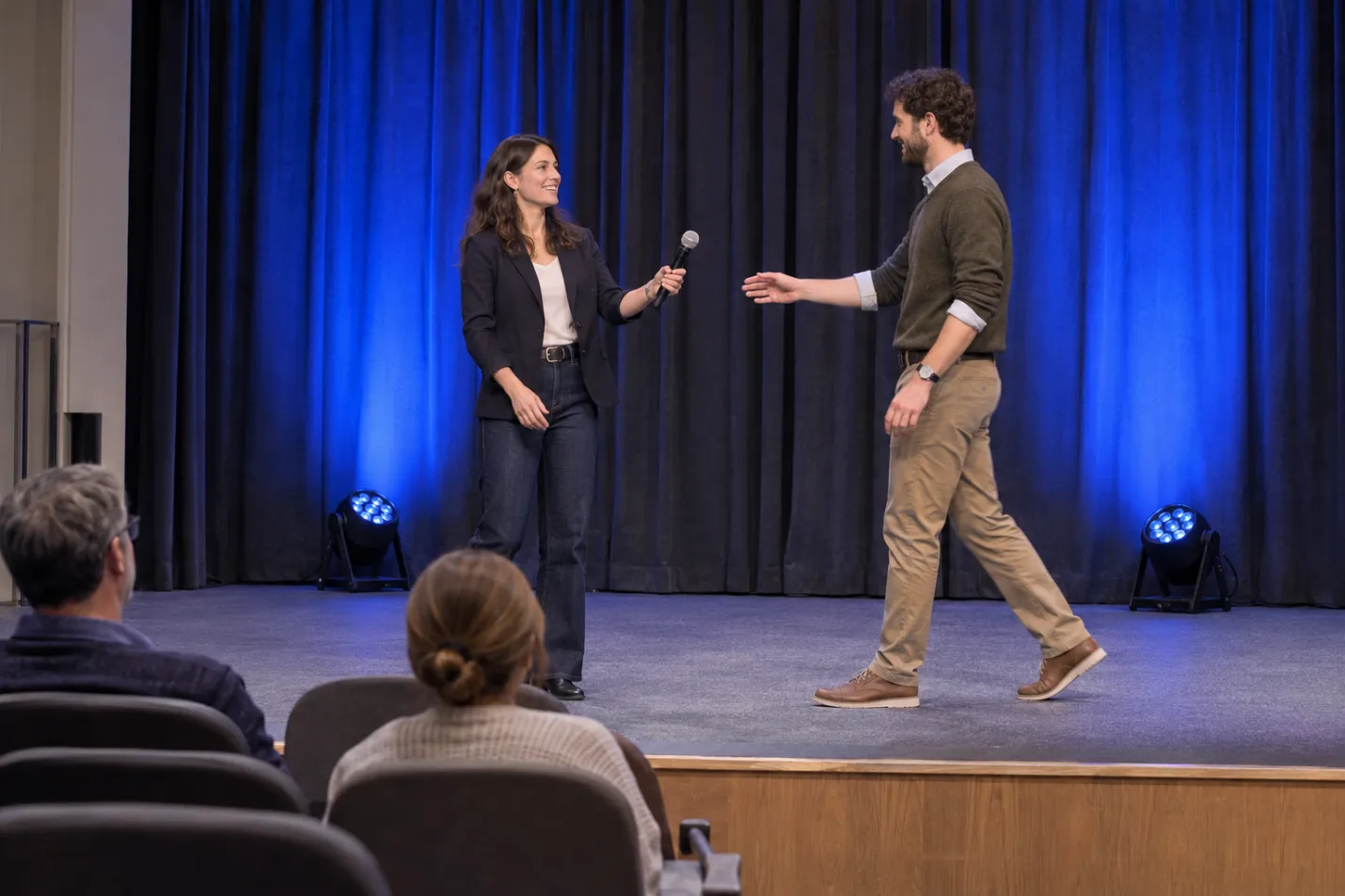
Run the transition at show pace with stand-ins, the slides and the planned camera cuts. Watch when the cue starts, when the speaker crosses between lit areas and when the new look settles. Ask the viewer in the audience to call out the stage mark if a face falls into shadow. Have the operator note where the fade was at that moment. For a streamed event, use the actual camera preview, including the side view if it will be used live. A single photograph of either finished look leaves out what happens in between.
In a hypothetical panel handoff, picture the lectern light fading as the chair lighting rises. The host turns to introduce the first guest while crossing the gap. If the host’s face dims there, try holding the outgoing coverage until the host clears that point, or verify whether a suitable existing light can cover the crossing. Repeat the same walk and camera cut. If the entrance timing varies, agree on a visible cue trigger with the stage manager, such as the host reaching the chairs.
Record Each Fix With Its Cue and View
Keep the rehearsal note short enough to read at the console. Record the cue transition, who is speaking, where the issue occurs, which view shows it, the requested change and who will confirm the rerun. A sample note might read, “Welcome to Panel. Host at the chair aisle. Side camera loses the host’s eyes during the fade. Hold lectern coverage through the crossing. Lighting and video to confirm on rerun.” Substitute the venue’s real cue and position names.
If the audience can see the face and only one camera struggles, review framing, the angle and the backdrop in that camera view with the video lead before changing the entire stage look. If both views show a dip at the same stage mark, have the lighting lead isolate the relevant coverage and timing. Save the agreed revision in the show file and update the cue notes so the rehearsal fix carries through to the show.
Turn Rehearsal Notes Into a Fixture Brief
A coverage issue may remain after cue timing and positions have been reviewed. Give the venue or rental team the intended job, such as keeping the interview seats covered when the backdrop color changes. Include the approved fixture position, throw distance, target area and available console control. Ask for the specific model’s documentation and arrange a demonstration where practical. Use the stage lighting range from V-SHOW to identify LED wash or moving-head candidates, then check each model against that brief. Compare how much of the route stays usable in the revised look and whether the backdrop can still change on its own.
Conclusion
Check the route your speakers actually take, then watch it through the whole cue from the seats and any live cameras. A record tied to the cue, position and view tells the crew what to change and gives them a specific moment to retest.
Q&A
Where should I watch during rehearsal?
Start at the planned camera positions and an audience seat off center. Move to another seat if the audience wraps around the stage or a lectern blocks the view from one side.
Can one set of fixtures cover speakers and scenery?
Sometimes. Check coverage, spill and whether the console can keep usable face light while the scenery changes. Give each job independent control when the show requires them to change separately.
What if I can make only one rehearsal pass?
Use it for the handoff with the most movement or the most consequential camera cut. Include the full fade and call out the exact stage position where visibility changes.
